
Send a report, not a pile of photos.
Sort before-and-after photos by area, note anything that still needs attention, and send one link with your business name on it. Made for pressure-washing and soft-washing businesses.
Free for 14 days, or 3 months for the first 10 businesses during our beta. No card required. $49/month if you continue. Already have an account? Sign in
Three steps after the job
Step 1: Add photos by area
Tap Driveway, Walkway, Patio, or your own area. Take photos or pick them from your library, marked before, after, or condition.
Step 2: Note what was done
Mark each area completed, partly done, or not serviced. Explain anything that remains, or why a photo is missing.
Step 3: Send a link or PDF
Publish, then share from your phone’s share menu, copy the link into your usual text, or send the PDF.
A report that answers the follow-up questions
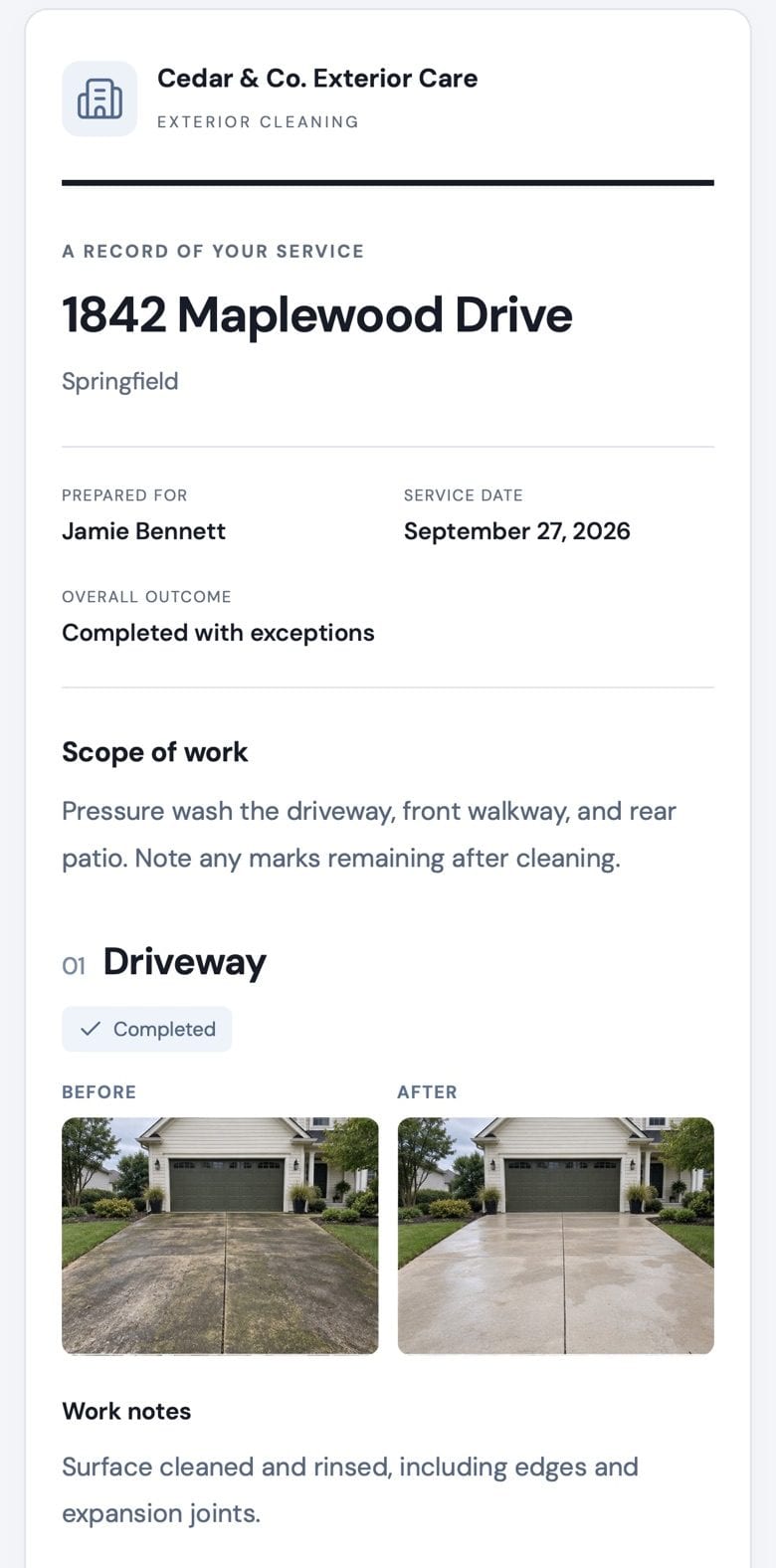
Every report shows:
- The property, customer, and the service date you entered
- The scope of work you agreed
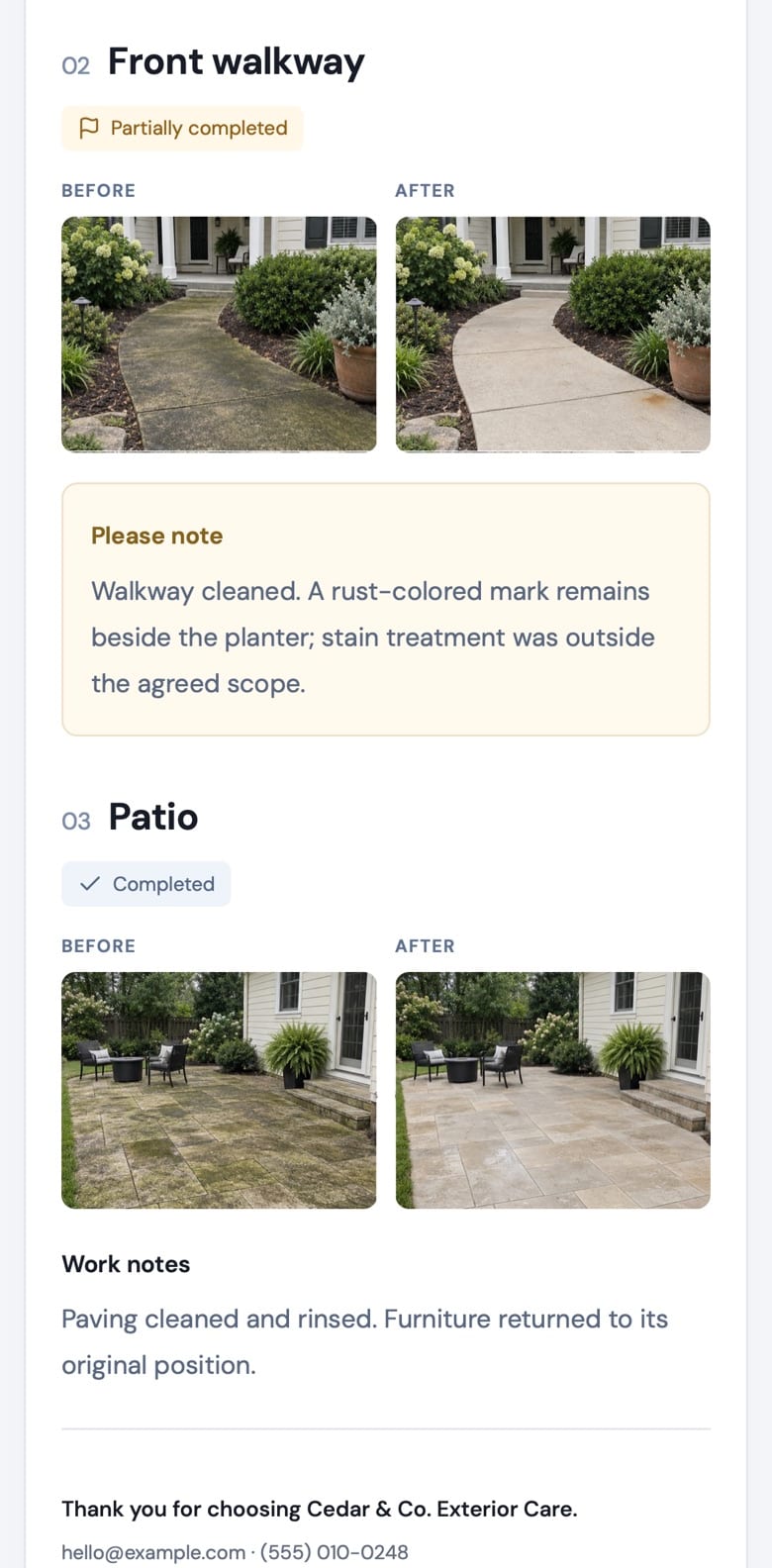
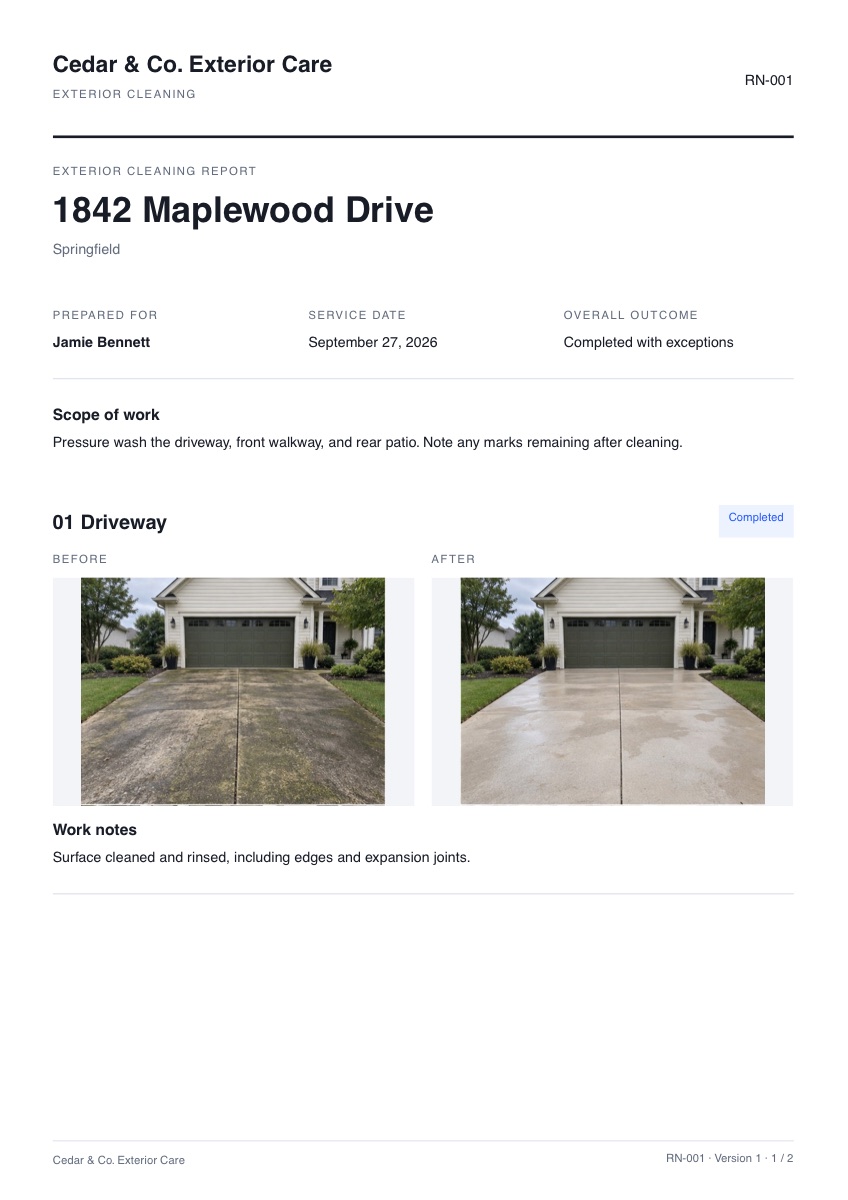
- Each area’s before and after photos, full frame and uncropped
- What was completed, what remains, and why
- How to reach you
The web page and the PDF come from the same published version, so they always match.
Pricing
$49/month per business
- Up to 100 published jobs a month
- 20 GB of photo storage
- A web report and PDF for every job
- Update or turn off report links anytime
- Export all your data anytime
- The trial
- 14 days with 10 published jobs and 2 GB of storage. No card.
- The beta
- The first 10 businesses get 3 months free instead, with 300 published jobs and 20 GB.
- After the trial
- Subscribe to keep going, and cancel anytime; you keep access to the end of your paid month. Nothing is charged if you don’t subscribe.
- What counts as a job
- Each job counts once, when you first publish it. Updating its report doesn’t count again.
Questions
Do my customers need an app or an account?
No. They open the link in any browser, on a phone or computer, and can download the PDF.
What if I forgot a before photo?
Write a short explanation instead. The report shows it in place of the photo rather than implying a full comparison.
Can I change a report after I send it?
Yes. Edit the job and publish an update. That creates a new link and turns the old one off, so your customer never sees a half-edited version. You can also turn a link off at any time.
Does it work with iPhone photos?
Yes, from the Photos library or camera on iPhone and in Safari on a Mac. Other browsers can’t open iPhone HEIC files yet; export them as JPEG first.
Does RinseNote prove when the work was done?
No. The service date is the one you enter, and photos are documentation of the job, not independent verification. Reports say so.
What happens when my trial ends?
Nothing is charged unless you subscribe. Without a subscription your account becomes read-only: you can still view and export everything for 30 days, then your jobs and photos are deleted.
Can I get my data out?
Anytime. Settings exports your customers, jobs, notes, original photos, and every published PDF.
Try it on your next job.
Sign in with Google and your trial starts right away.
Start your free trial